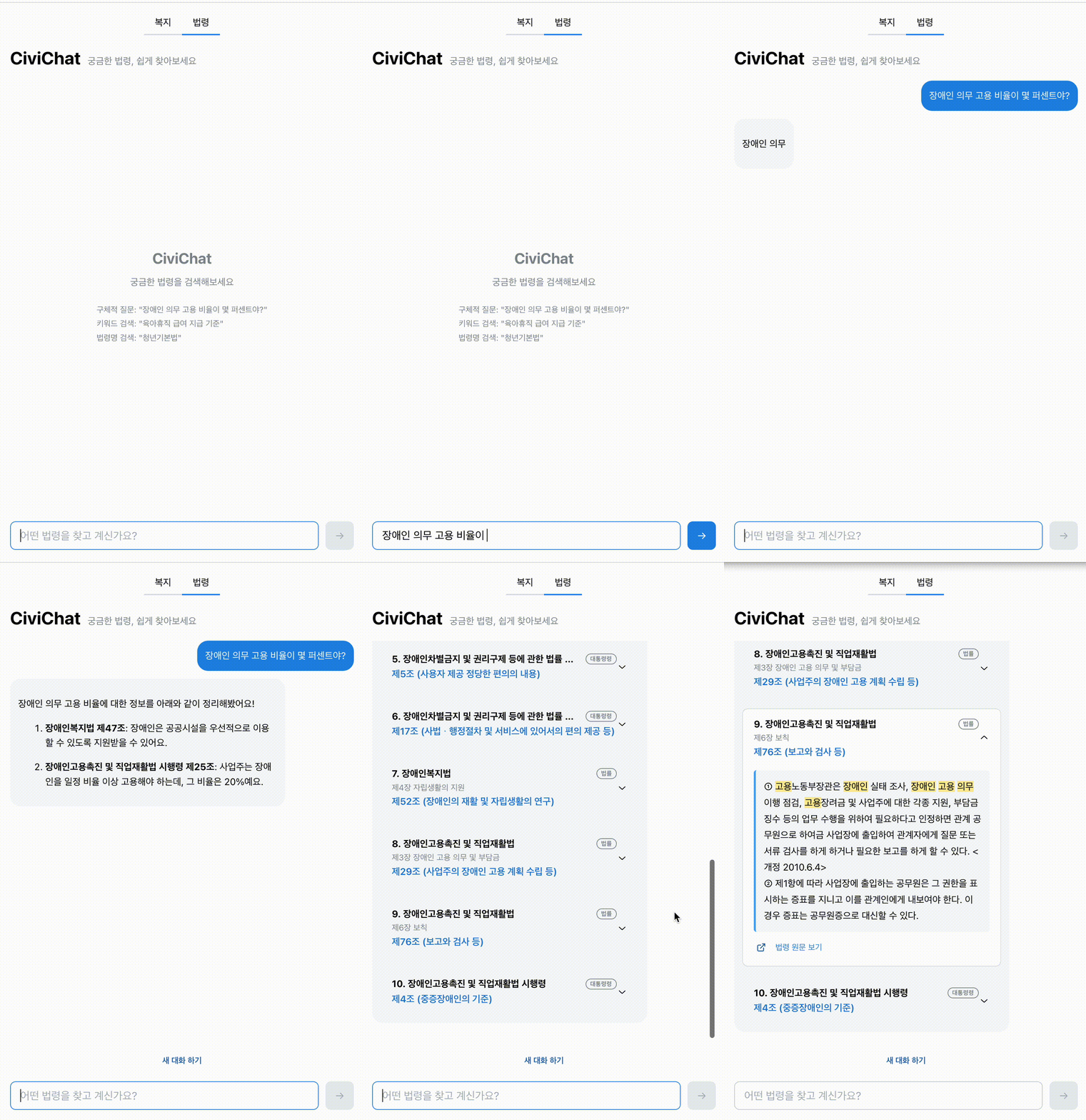
Overview
TypePersonal projectRolePlanning, data pipeline, search logic, API, frontend implementationScope10,919 government services / 687 statutes / 31,066 statute articles indexed; 71 unit/component tests + search-quality evaluationPerformanceLighthouse Performance 99, CLS 0, 85% reduction in scripting cost for text-height measurement (vs DOM measurement)DataOfficial APIs and public datasets only; intentionally avoided scraping private platforms
Problem
Existing government welfare sites are menu-navigation focused, making it hard for users to quickly find the benefits they want. CiviChat connects natural-language questions through condition extraction, RAG retrieval, LLM summary streaming, and result rendering into a single conversational flow. I designed and built the AI response rendering, vector search interface, accessibility, and performance optimization end-to-end.
Highlights
- Sending search-result events first and then streaming the LLM summary on top — an SSE-based chat UI implementation
- Combining Supabase pgvector vector search with keyword search using RRF, then re-ranking based on conditions, region, and keywords
- Fetching regional and nationwide candidates together to reduce missing central/nationwide benefits — improved search recall
- Extracted regex-based conditions into config files and structured expressions like job-seeker, small-business owner, single-parent, near-poverty status
- Pre-computing message heights with Canvas to stabilize virtual scroll (85% scripting reduction)
- Used aria-live, role="status", Skip Link, and focus restoration to improve chat UI accessibility
- Connected search-quality evaluation, data update pipeline, and Sentry error collection to GitHub Actions and the operations workflow
Architecture
ClientChat UI
Question input, conversation history, result-card rendering
↓
APINext.js Route Handler
Sends search-result events first, then streams LLM summary chunks over SSE
↓
Corecore/search
Pure TypeScript search/condition-extraction logic separated from React
↓
RetrievalHybrid Retrieval + Rerank
pgvector vector search, tsvector keyword search, RRF combination, then re-ranking by conditions/region/keywords
↓
LLMOpenAI Summary
Summarizes search results into plain language and streams the response
↓
RenderStreaming Renderer
Typewriter summary, result cards, virtual-scroll height estimation
Business logic is isolated in src/core as pure TypeScript with no React/Next.js dependency. The CLI and API routes share the same functions; new features get validated in the CLI first, then wired up to the UI.
Challenges
Vector search's exact-match limits and introducing hybrid retrieval
Initially, vector search alone surfaced irrelevant results at the top even for explicit queries like "Seoul youth grants". I added keyword search (tsvector) and combined rankings with RRF, then layered on re-ranking by conditions, region, and keywords so semantic search and exact match work together.
Regional filters causing nationwide benefits to drop out
Strong regional filters made central-government or nationwide services disappear from candidates for queries that named a region (Seoul, Busan, etc.). I started fetching regional and unfiltered nationwide candidates together, then deduplicated and applied a regional boost/penalty to balance recall and precision.
Catching search-quality regressions with numbers
Search logic tangles regex, vector search, keyword search, and post-filters together, so a small change can degrade other queries. I built an eval query set and promoted it to a Vitest-based search-quality test so the quality bar gets checked on every push to main.
Technical Decisions
SSE flow that sends search results first
Originally the UI showed result cards only after the LLM summary stream finished, which made the perceived response feel slow. I changed the server to emit search-result events first and stream summary chunks after, so users perceive a successful search and the candidate results sooner.
Computing text width and message height before rendering to the DOM
AI summaries vary in length each time and are rendered incrementally by a typewriter, so measuring height after inserting into the DOM triggers a reflow every step. I switched to measuring width off-DOM with Canvas measureText and computing line breaks via binary search, reducing scripting cost during streaming by 85% (getBoundingClientRect 1,282ms → Canvas 193ms). I also wrote about this in a blog post and a playground demo.
Using vector search and keyword search together
Vector search alone was weak for exact matches like region or statute names. Keyword search alone could not handle descriptive questions. I combined the two results with RRF, then re-ranked by service-name/body keywords, district/province/nationwide flags, and applicant conditions like job-seeker, pregnant, small-business owner, single-parent, low-income.
Pulling search logic out of React
Welfare/legal search, condition extraction, and summary logic live in src/core so the CLI and API routes call the same functions. This lets me validate search quality from the terminal before wiring up UI, and lets a team — frontend and backend/ML — work independently against the same core functions.
Accessibility & Performance
- Applied role="log" and aria-live="polite" to the message list so screen readers automatically announce new responses
- Tied role="status" and aria-busy to the loading state to convey search progress/completion
- Skip Link to jump past the header straight to the search input
- Auto-restore focus to the input after the AI response finishes
- Made external links say "(opens in new window)" via aria-label so users get context before navigating
Stack
FrameworkNext.js 16 (App Router), React 19, TypeScriptUIMantine v9SearchSupabase pgvector, tsvector, OpenAI Embeddings, RRF, custom rerankLLMGPT-4o-mini (SSE Streaming)Virtual ScrollTanStack VirtualOpsGitHub Actions, Sentry, Husky, lint-stagedTestVitest + React Testing Library (71 tests), search-quality evalDeployVercel + Supabase Cloud